Open Revit files, detect clashes, export deliverables — without opening Revit.
Not every BIM task needs Revit. VinaBIM lets you open RVT, RFA and RTE files, run clash detection across RVT, IFC and Navisworks models, and export DWG, PDF, IFC and BCF. Built for owners, consultants, contractors and QS teams.
 VinaBIMENGINE
Four jobs VinaBIM does well
without opening Revit
From model viewing and clash detection to data exchange and BIM coordination, VinaBIM focuses on the tasks project teams do every day.
Open and view Revit models — no Revit install needed
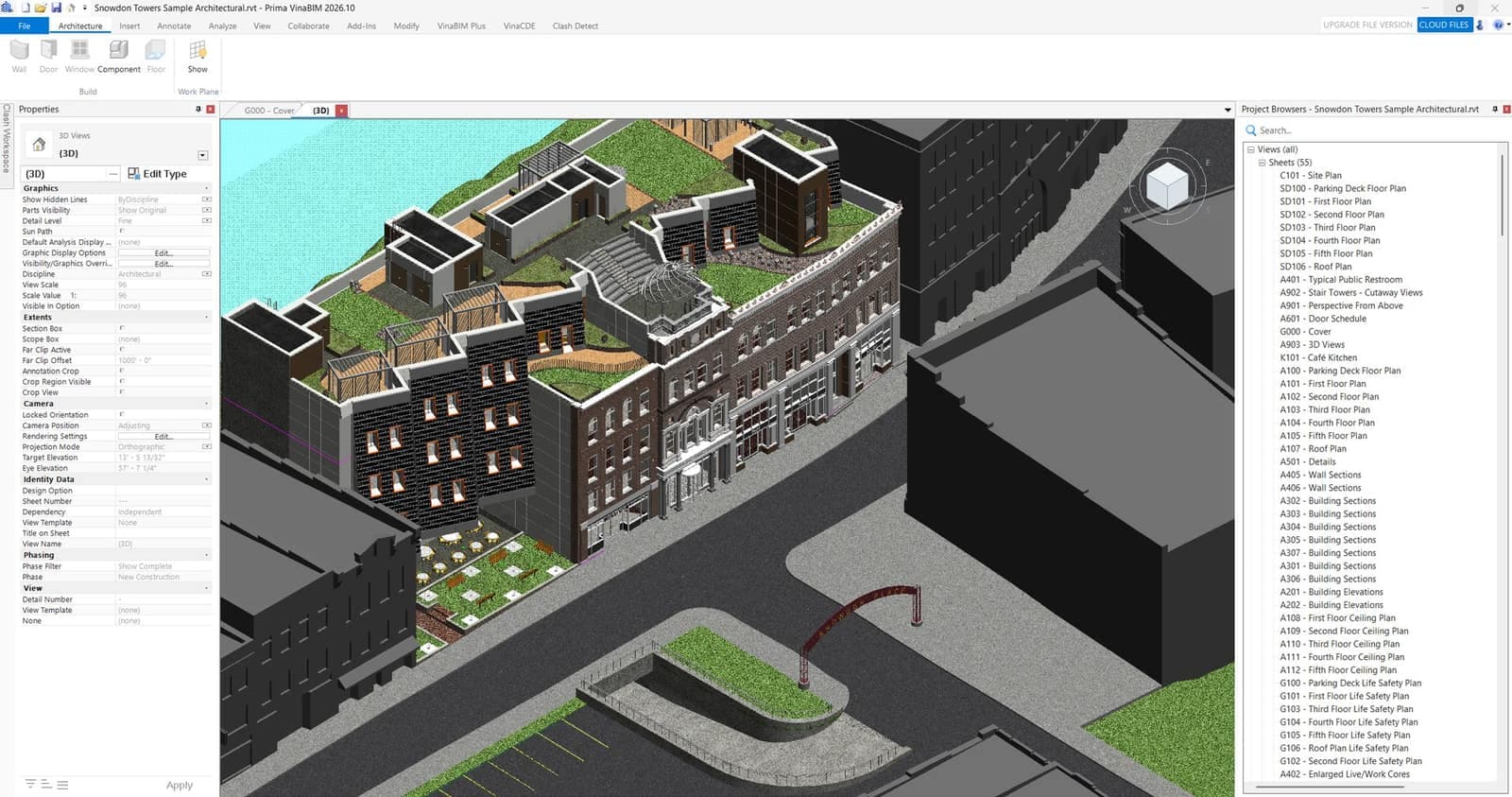
Open RVT, RFA and RTE files directly. View 3D, floor plans, elevations, sections, ceilings, structural views and legends; control Visibility/Graphics, Visual Style and Section Box. Owners, engineers and project managers can look up element data without opening Revit for everyday viewing.
Multi-format clash detection — catch issues before construction
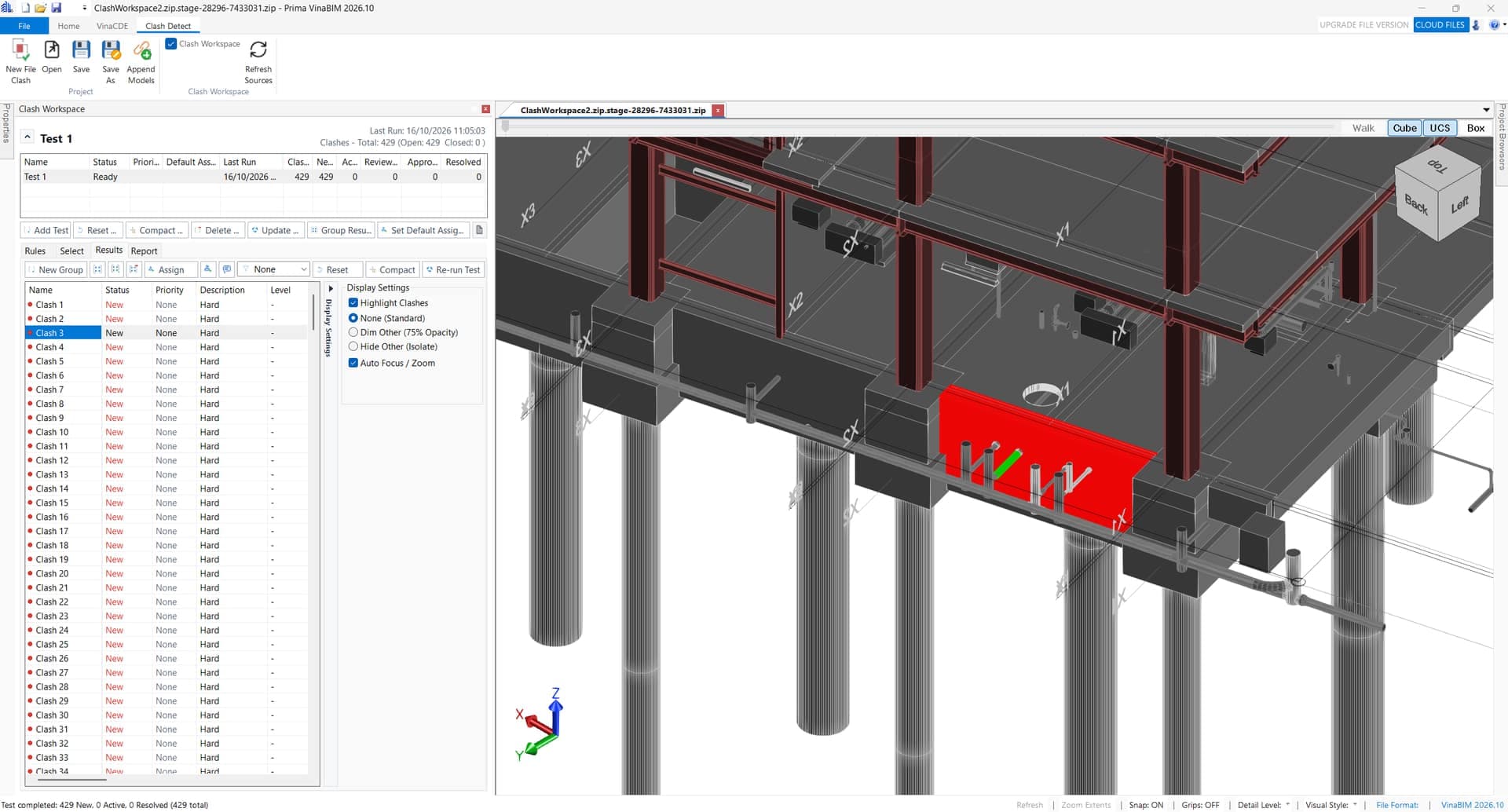
Detect clashes across RVT, IFC and Navisworks (NWD/NWC) models: architecture ↔ structure, structure ↔ MEP, MEP ↔ MEP. Review each clash in a list and in 3D, then export BCF to coordinate with every discipline.
Export and exchange BIM data in many formats
Export drawings and data to DWG, PDF and SVG for documentation; IFC for OpenBIM; GLB/glTF and OBJ for 3D visualization; JSON and CSV for property data. Import DAE (Collada) models. One BIM model, many workflows.
Connect every discipline — coordinate projects more efficiently
Support logging, classifying, and tracking issues discovered during BIM model review. Enhance cross-discipline collaboration among Architecture, Structure, and MEP teams through standardized information and issue resolution workflows. VinaBIM delivers a transparent, unified BIM collaborative environment tailored for modern project delivery.
What's new in VinaBIM 2026.10
From model viewing to checking, coordinating and exchanging BIM data on open standards.
Multi-format, OpenBIM-ready
Check RVT, IFC and Navisworks, exchange via IFC and BCF
Every project role, its own way to use VinaBIM
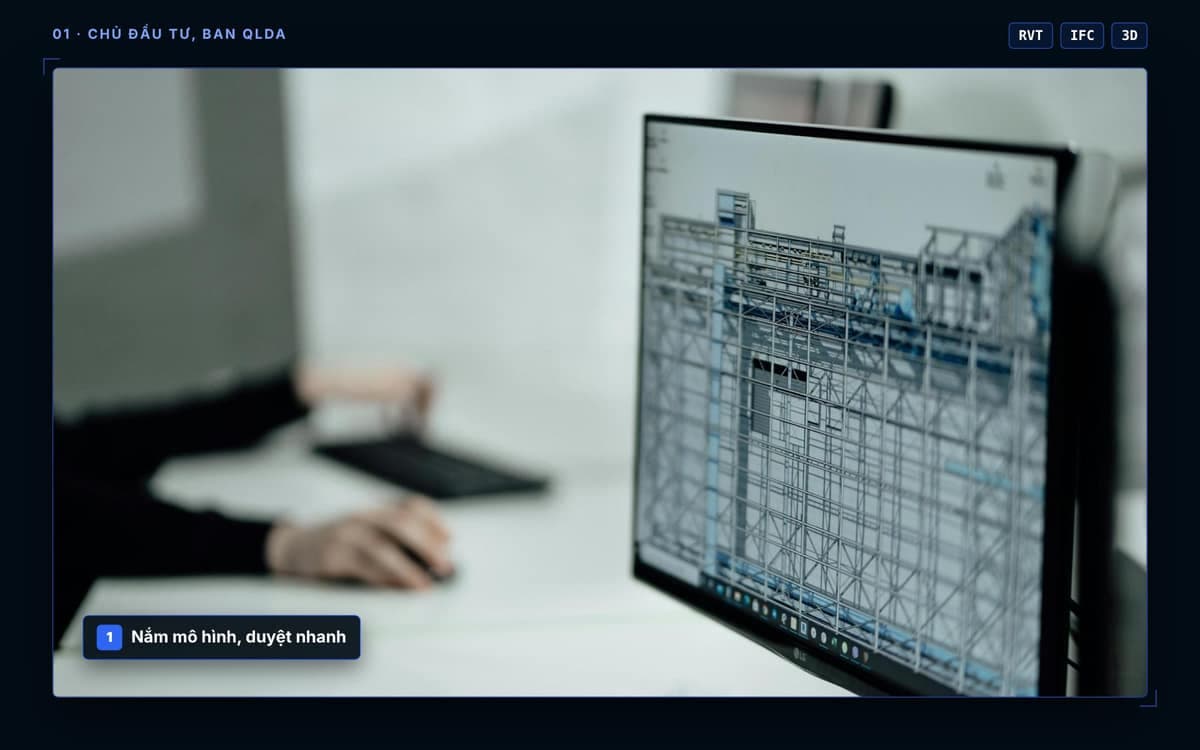
Understand the model, approve faster
- Open RVT and IFC to view 3D, plans and sections without Revit
- Look up element properties during reviews
- Review clash results from consultants via BCF
- Export PDF and DWG for internal approval
Check and coordinate disciplines
- Clash detection across RVT, IFC, NWD/NWC
- Architecture ↔ structure, structure ↔ MEP, MEP ↔ MEP
- Track status from New to Resolved
- Export BCF to each discipline
Catch issues early, build it right
- Find MEP runs clashing with beams and columns before construction
- Locate each clash in 3D with Auto Zoom
- Open Navisworks models from other parties
- Export DWG and PDF for site teams
Pull data for take-off
- Read properties and parameters of each element
- Export JSON for property data
- Schedules and CSV export (in progress)
- Cross-check quantities in Excel
What VinaBIM does, and what it doesn’t yet
| Feature | Format / command | VinaBIM2026.10 |
|---|---|---|
| 01 · View & inspect | ||
| Open Revit files natively | RVT · RFA · RTE | Available |
| View OpenBIM and Navisworks models | IFC · NWD · NWC | Available |
| 3D, plans, elevations, sections | 3D · 2D | Available |
| Properties, Visibility/Graphics, Section Box | PROPERTIES | Available |
| 02 · Coordination & clash | ||
| Multi-format clash detection | RVT · IFC · NWD/NWC | Available |
| Status tracking, result export | BCF · CSV | Available |
| 03 · Data exchange | ||
| Export drawings & documents | DWG · PDF · SVG | Available |
| Export OpenBIM & 3D models | IFC · GLB/glTF · OBJ | Available |
| Export property data | JSON | Available |
| Schedules | SCHEDULE · CSV | In progress |
| 04 · Drawing & editing | ||
| Dimensions, text, sheets | DIM · TEXT · SHEET | In progress |
| Move, Copy, Rotate; Wall, Door, Family | MODIFY | In progress |
| 05 · Advanced BIM authoring | ||
| Complex modeling, advanced parametric families | AUTHORING | Not yet |
| Full documentation sets | DOCUMENTATION | Not yet |
Shipping continuously since September 2024
- 2024Q3 · 2024Kick-offVinaBIM platform development begins
- 25.908/2025Viewer & dataOpen and view BIM models, cloud connection, data export
- 25.1111/2025CoordinationFirst clash detection, ViewCube, new navigation
- 26.101/2026New engineUpgraded model processing engine
- 26.707/2026Multi-format OpenBIMIFC & Navisworks viewing; multi-format clash; BCF export
- 2026.10Current08–10/2026Drawing & editingSchedule, Sheet; Move, Copy, Rotate, Family
- NextIn developmentModeling toolsWall, Door
- VisionVCCVinaCDE integrationSync models, drawings and checks into the common data environment
Frequently asked questions
Can’t find what you need? Email [email protected] and the VinaBIM team will get back to you.
Does VinaBIM replace Revit?
Not entirely. VinaBIM focuses on opening, viewing, clash checking and using model data, reducing the need for Revit on those tasks. Advanced BIM authoring still needs Revit.
Do I need Revit installed to open RVT files?
No. VinaBIM opens RVT, RFA and RTE files directly, without installing or launching Revit.
Which formats can VinaBIM clash-check?
RVT, IFC and Navisworks (NWD/NWC). Results can be exported to BCF for cross-discipline coordination.
Which formats can VinaBIM export?
DWG, PDF, SVG, IFC, GLB/glTF, OBJ, JSON, CSV and BCF. VinaBIM can also import DAE (Collada) models.
Who builds and supports VinaBIM?
VinaBIM is built by a Vietnamese engineering team at skyACE Group and TGL Solutions, with support teams in Ho Chi Minh City, Da Nang and Hanoi. Contact: [email protected] · (+81)3 6264 9922.
Sync VinaBIM with VinaCAD Portal
Click Cloud Files in VinaBIM to upload to VinaCAD Portal. Every update is saved as a new version you can reopen and view in 3D in any browser.
VinaCDE Cloud Sync
VinaBIM is a core component within the VCC ecosystem. Once the VinaCDE platform launches, all model data and design drawings can be seamlessly integrated, centrally managed and synchronized via the Common Data Environment (CDE).
Start using VinaBIM on your projects
Open, check and use BIM data — without opening Revit for every task.