Free Revit Viewer: How to Open and Review RVT Files Without Revit
Free Revit Viewer: How to Open and Review RVT Files Without Revit
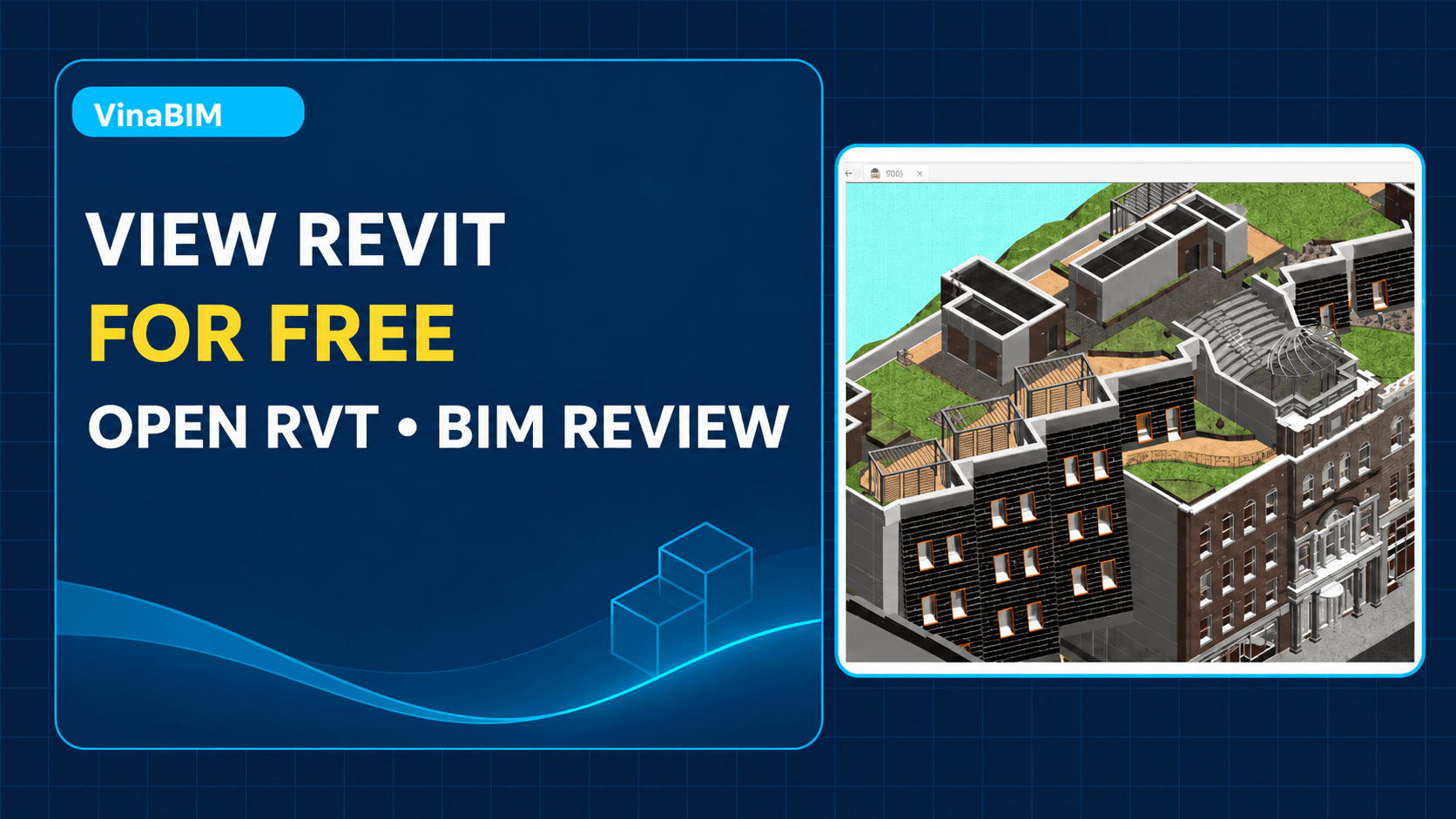
QUICK SUMMARY
- Goal: Open and inspect RVT/RFA/RTE models when review—not Revit authoring—is the task.
- Workflow: Confirm the file type, pick a compatible viewer, inspect views and properties, then record issues.
- Benefits: Make routine model reviews and coordination accessible to more project stakeholders.
Why search for a free Revit viewer?
Not everyone who receives a Revit model is responsible for designing it. Owners, site engineers, quality teams and BIM coordinators often need to inspect RVT files, navigate 3D geometry, cross-check plans and sections, and read element properties. They may have no need to create walls, edit families or issue an entire drawing package.
The key distinction is between opening a native RVT file and viewing a model exported to IFC or NWD. A free BIM viewer is not automatically a free RVT viewer. Also, viewing a model should never be confused with full authoring or geometric editing.
Compare practical ways to review Revit and BIM models
Autodesk Viewer: open RVT in a browser
Autodesk Viewer lists RVT among its supported file types and offers browser-based viewing, measuring, markup and sharing. It can suit occasional review without a Revit installation. However, confirm whether the project's information-sharing rules permit uploading models to an online service.
Revit Viewer mode: view within an installed Revit environment
Autodesk documents a Revit Viewer mode for reviewing models without an active license. Revit must still be installed; saving changes and certain exports are restricted. It therefore does not solve the same “no Revit installation” problem as a separate viewer.
BIMvision and Navisworks Freedom: format-specific choices
BIMvision is a free IFC model viewer, useful if a designer supplies a verified IFC export—not a promise of direct RVT support. Autodesk lists Navisworks Freedom as a viewer for NWD and DWF, not a direct RVT opener. Both can be valuable when the delivered format matches their intended purpose.
VinaBIM: open Revit files and bring BIM review into one workflow
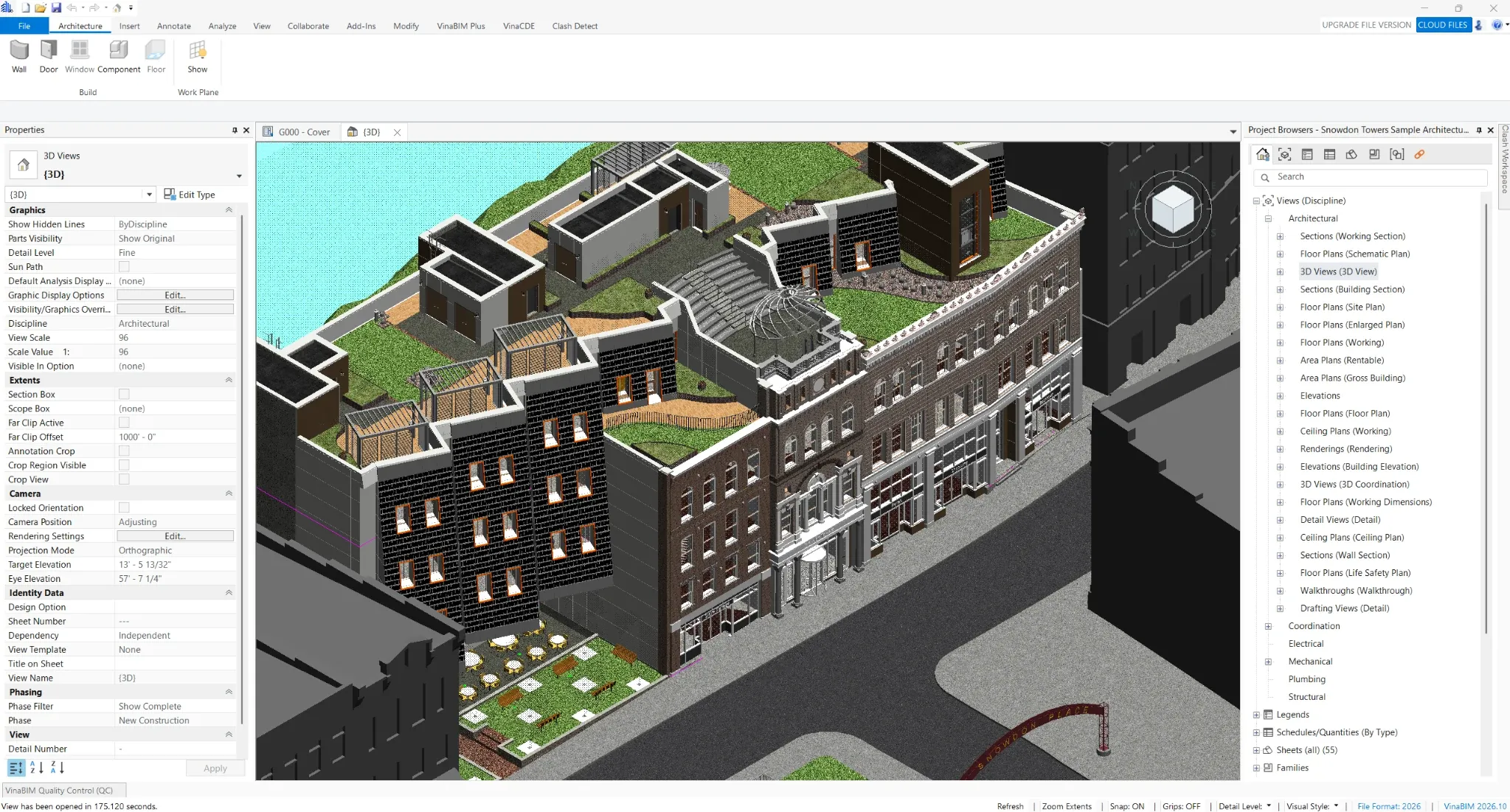
VinaBIM helps project teams review Revit files without relying on a full authoring workflow. Open RVT, RFA and RTE alongside coordination formats IFC, NWD and NWC, navigate a 3D model, switch to plans, elevations and sections, and inspect element Properties to understand the design context.
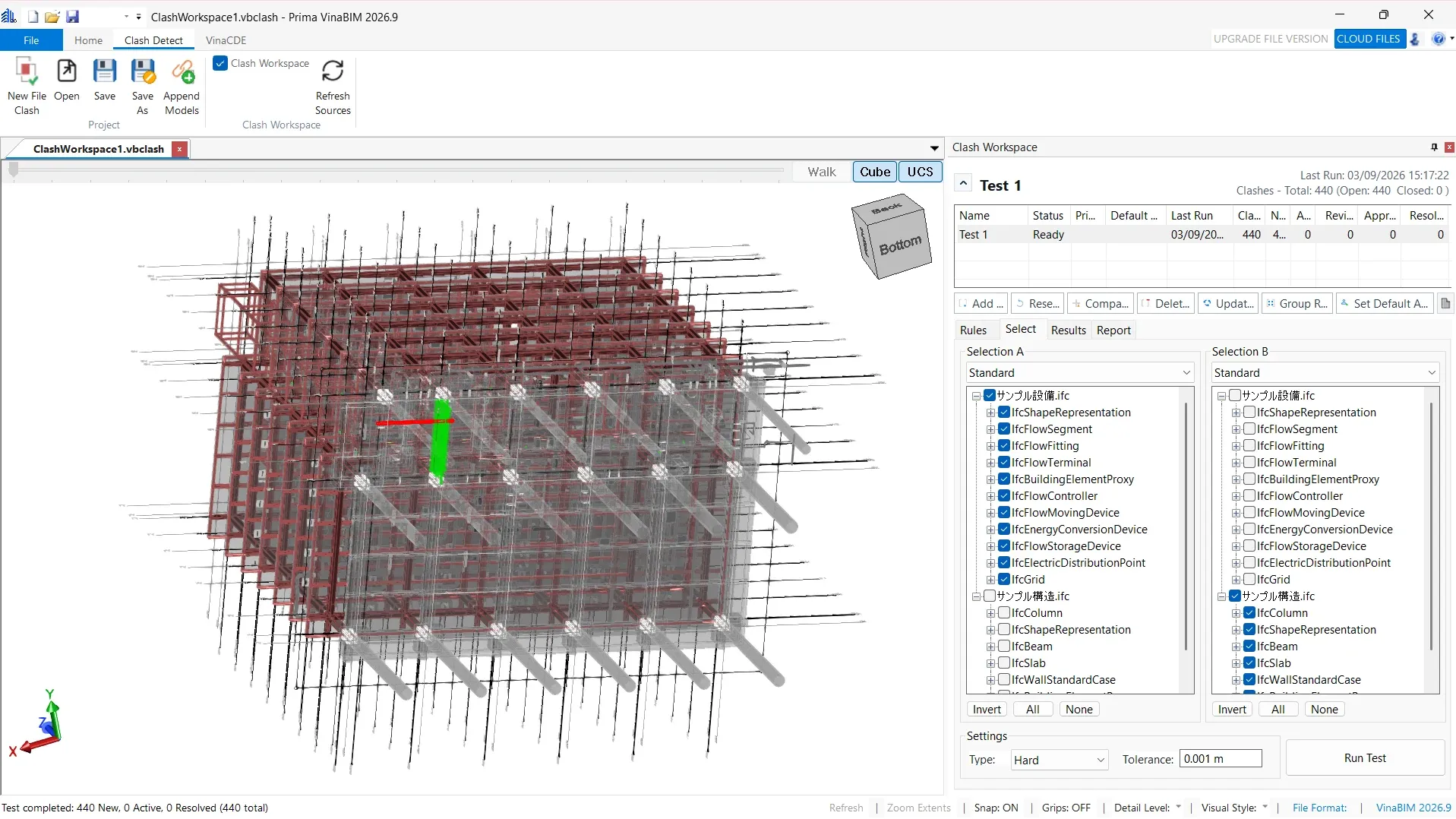
Use Visibility/Graphics and Section Box to focus on the elements that matter. For multidisciplinary coordination, Clash Detection works with RVT/IFC/NWD/NWC and exports BCF/CSV issues for follow-up. VinaBIM also supports DWG/PDF/SVG, IFC/GLB/glTF/OBJ and JSON exports for downstream exchange.
Viewer | Suitable input | Review use | Important limitation |
|---|---|---|---|
| VinaBIM | RVT/RFA/RTE; IFC/NWD/NWC | 2D/3D, Properties, Section Box, clash checks and BCF/CSV exchange | Suited to model review and coordination |
| Autodesk Viewer | RVT and many other files | Browser, measure, mark up, share | Online workflow |
| Revit Viewer mode | Revit models | View inside Revit environment | Requires Revit installation; cannot save |
| BIMvision | IFC | OpenBIM model inspection | Requires suitable IFC export |
| Navisworks Freedom | NWD / DWF | Review published models | Not a native RVT viewer |
Compare tools by and . VinaBIM combines Revit file viewing, BIM inspection and issue exchange, while other viewers may be preferable for particular delivery workflows.
Choose the viewer by delivered file type
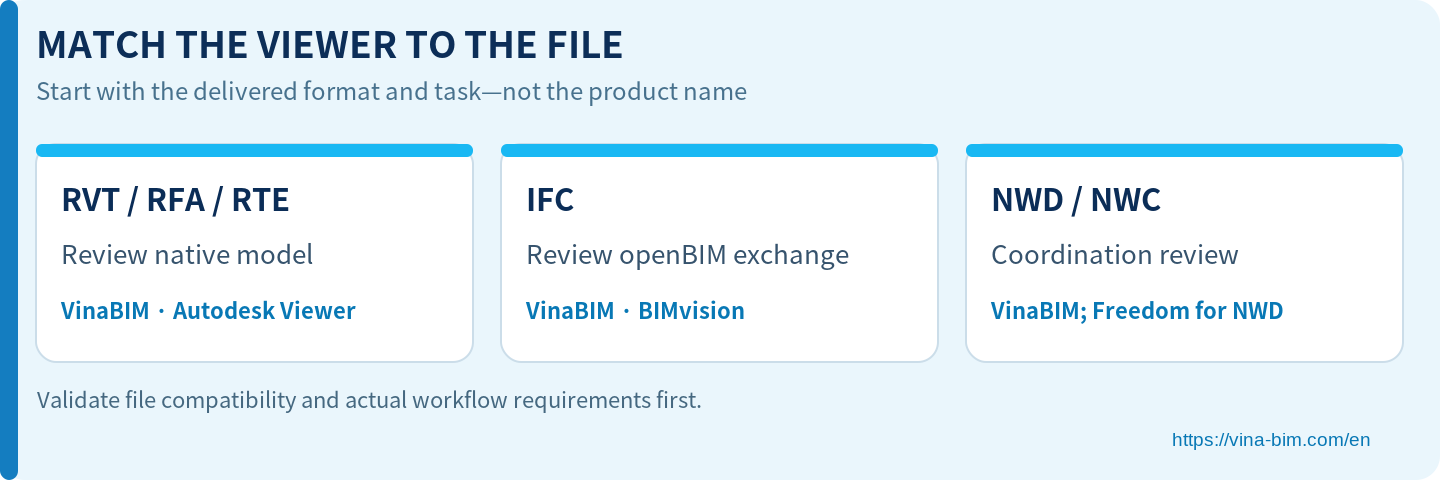
Request the actual delivery format, project revision and intended use before choosing software. If the designer supplies RVT but the reviewer receives only IFC, validate the exchange output; a converted file may differ from the native model in accessible views and attributes.
Practical workflow before a BIM coordination meeting
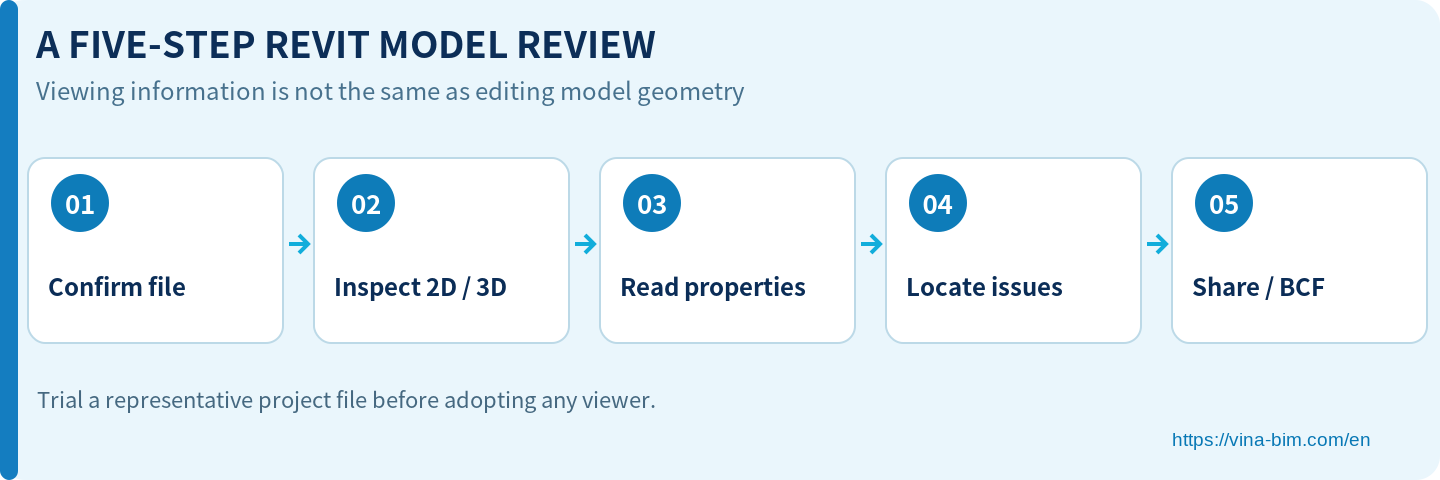
Check the file and its delivery context
Record the file name, handover date, discipline and required links. Start with a representative project rather than rolling a new viewer out to a whole team. If a property or view appears missing, distinguish source-data issues from software behavior before raising an issue.
Inspect 3D views and element properties
Begin in the main 3D view; switch to a plan, elevation or section for specific questions. Select elements to inspect Properties and isolate an area using Section Box or visibility controls. This is reading and checking model data, not modifying the original geometry.
Capture coordination issues with context
When documenting an issue, capture its location, affected elements, description and responsible team. VinaBIM Clash Detection helps check RVT/IFC/NWD/NWC models, with BCF/CSV exports making it easier to share findings across disciplines. Validate each finding against the source model before making a decision.
VinaBIM – A simpler way to view Revit files and coordinate BIM
Need to inspect an RVT file without working in Revit’s design environment? VinaBIM lets your team open RVT, RFA and RTE alongside IFC, NWD and NWC for straightforward model review.
Explore 2D/3D views, plans, elevations and sections; inspect element Properties; and use Section Box or Visibility/Graphics to focus on key areas. For multidisciplinary reviews, Clash Detection helps identify conflicts, with BCF/CSV exports to share findings and coordinate follow-up.
Try it with a project model and see how much easier model review and BIM coordination can be.
Conclusion
A useful free Revit viewer should match the model format and the task at hand. Opening native RVT files, navigating views, inspecting element information and sharing issues can make review sessions more effective without requiring every participant to author the design.
VinaBIM brings RVT/RFA/RTE and IFC/NWD/NWC viewing together with properties, clash checks and export workflows. Try it with a project sample and explore the features that are currently available at no cost.
Explore VinaBIM
Discover how VinaBIM helps you open Revit files, inspect 2D/3D models, check clashes and exchange BIM data. Explore the current features on the English website and get started for free.
FAQ — Frequently asked questions
Can I open RVT files without installing Revit?
Yes. Compatible tools such as VinaBIM and Autodesk Viewer can open RVT for review without a Revit authoring workflow. Revit Viewer mode still requires Revit to be installed.
Will Navisworks Freedom open an RVT file?
It is not a native RVT viewer. Autodesk lists NWD and DWF for Freedom, so request a properly published NWD when using that route.
What can I do with VinaBIM when reviewing Revit files?
Explore 2D/3D models, plans, elevations and sections; inspect Properties; control visibility and focus using Section Box. For coordination, VinaBIM provides clash checks and BCF/CSV issue exports.